Seconds per sale
Scan and it is in the basket. Cash, card or both; change is worked out for you and the receipt is ready.
Point of sale (POS) Plus and Business
One stock for your counter and your website. Quick Sale takes the barcode, the payment and the receipt on one screen; the till is on record from opening float to day close.

Real StoreRuler screen · example data
Today, with separate tools
With StoreRuler
Scan and it is in the basket. Cash, card or both; change is worked out for you and the receipt is ready.
Opening float, drawer count and the difference. See which day was not closed and by how much, at a glance.
Whether the customer brings a receipt or a web order, returns and exchanges run on the same record and go back to the right stock.
Set in-store prices and print price and barcode labels.
Point of sale
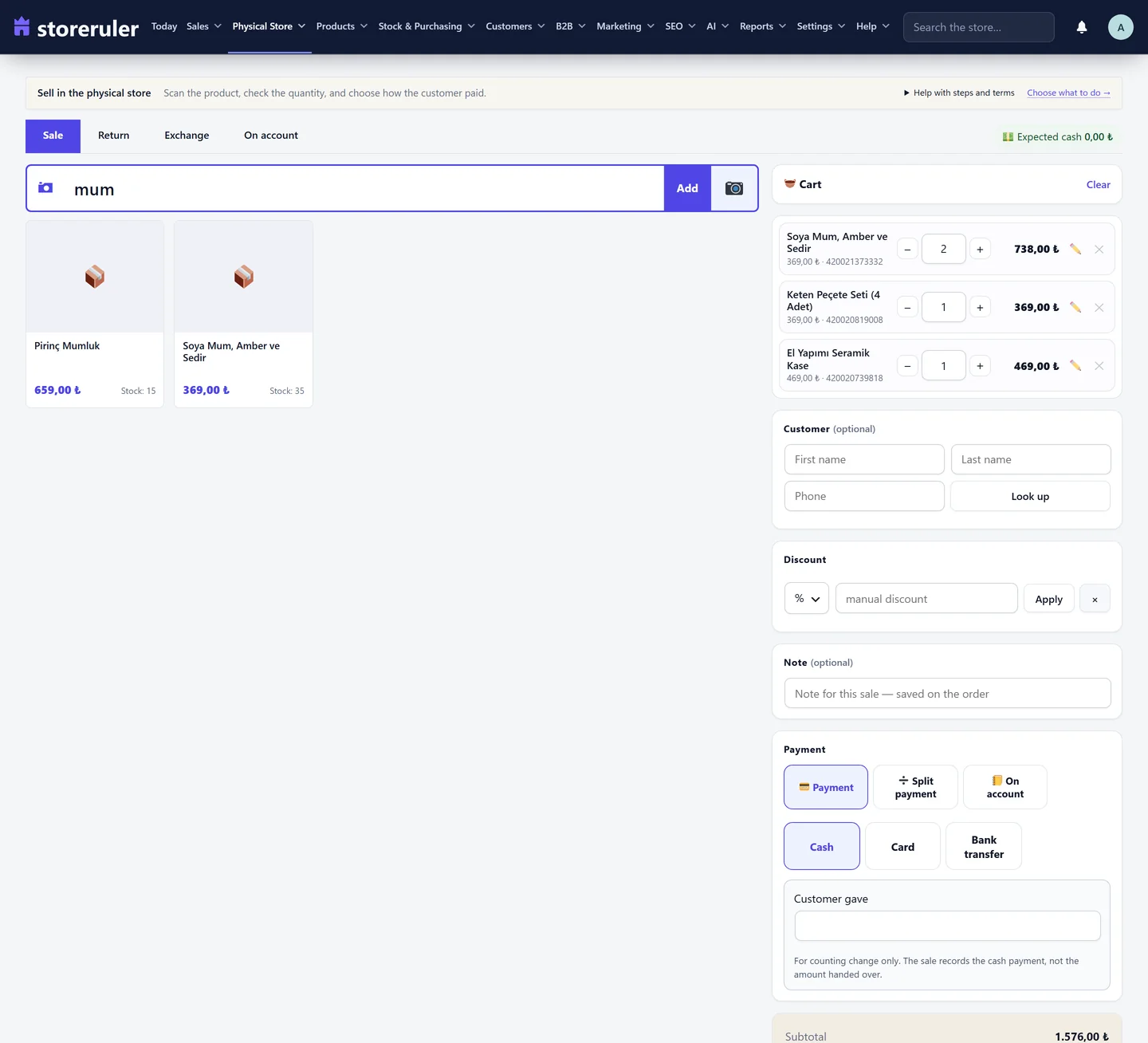
Quick Sale
Scan with a barcode gun, the phone camera or a photo. Cash, card or both; change is worked out for you. You decide which discount shortcuts cashiers may use.
Till and day close
The till opens with a float; at closing the drawer is counted and the difference recorded. The till report shows one day or a period of up to 92 days, with net sales, receipts and differences.
Returns and labels
Whether the customer brings a receipt or a web order, returns and exchanges run on the same record and go back to the right stock. Receiptless returns are an exception, on record. Print price and barcode labels.
Everything in this area
Each plan includes everything in the plans before it.
Instead of separate plugins
Each one is another licence, another update and another settings screen. StoreRuler Plus puts them in one plugin, one panel, on the same WooCommerce records.
With separate plugins
For the jobs on this page
24 plugins · 24 licences · 24 settings screens
$2,370/yr
With StoreRuler Plus
Every one of the same jobs, this page’s too
1 plugin · 1 licence · 1 panel
$590/yr
75% less than buying them separately
Typical yearly prices of the example plugins for one site, from the makers’ own pages (October 2026).
How you start
Enter the float; the cashier signs in with their own role.
Scan, take payment, hand over the receipt; stock drops at once.
Count the drawer; the difference and your note go into the report.
No. The till runs in the same WordPress panel as your WooCommerce products and stock, from any device with a browser.
Plus and Business.
No. Use a USB or Bluetooth scanner, or scan with the phone camera.
Read more on this
DocumentationSell at the counter with StoreRuler Plus: scan barcodes, take split payments, print receipts, handle returns and close the day on your WooCommerce stock.
Open the pageSell in your shop with WooCommerce so the counter and the website share one stock: what to look for in a till, common pitfalls and a setup checklist.
Read · 5 minBring ten separate plugins into one panel. On your own WordPress, with your own data.