
WooCommerce gives each product one regular price and one sale price for everyone, so wholesale prices need customer groups: a signed-in dealer in a group sees that group's price, often with quantity tiers and a minimum order, while retail shoppers keep the normal price. Core WooCommerce has no customer groups, so you need custom code or a B2B tool.
What wholesale pricing usually has to cover
A dealer price list is rarely just "20% off". Most stores that sell to dealers, resellers or other businesses need some of these:
- Group prices. Different discounts for different kinds of buyer, such as resellers and large accounts.
- Quantity tiers. 100 per unit for 1 to 9 units, 90 per unit from 10 units.
- Minimums and multiples. At least 6 units, sold in cases of 6.
- Prices only for the right people. Some products show a price on request, or only to signed-in dealers.
- Payment terms and credit limits. Pay within 30 days, up to an agreed amount.
- Quotes. A written offer the dealer accepts, which then becomes an order.
What plain WooCommerce can do
Out of the box, WooCommerce has:
- a regular price and an optional sale price per product or variation, with optional sale dates;
- coupons that can be limited to certain email addresses and to a minimum spend;
- manual orders in the admin, where you can change line prices before the order is paid;
- one tax setting for how prices are entered (with or without tax).
With those you can fake a dealer discount: create a coupon per dealer, limited to their email address. It works for a handful of dealers, but the dealer sees retail prices on every page, the discount only appears at checkout, there are no quantity tiers and nothing stops an order below your minimum. Payment terms and credit limits are not part of WooCommerce at all.
Common pitfalls with dealer prices
- Discounts that stack. A group discount plus a tier price plus a campaign can sell below cost. Decide which one wins.
- Tax confusion. Dealers often think in prices without tax, shoppers with tax. Your price rules should follow the same tax setting as the rest of the store.
- Staff accounts in a dealer group. A team member who joins a group sees, and may sell at, dealer prices.
- Anyone can change the price list. A wholesale price is pricing policy. Limit who may edit it.
- Credit without a limit. Selling on account with no limit and no due date turns sales into debts nobody follows up.
A checklist before you open a dealer price list
- List your dealer types and give each a group and a base discount.
- Pick the products that need quantity tiers, and write the tiers down as quantity and unit price.
- Set minimums and order multiples where you sell by the case.
- Decide which products show a price to the public, and which only on request.
- Agree a payment term and a credit limit with each dealer who buys on account.
- Decide who on your team may change prices and limits.
- Test as a dealer: sign in, check the product page, the cart and the checkout.
How StoreRuler Business handles dealer prices
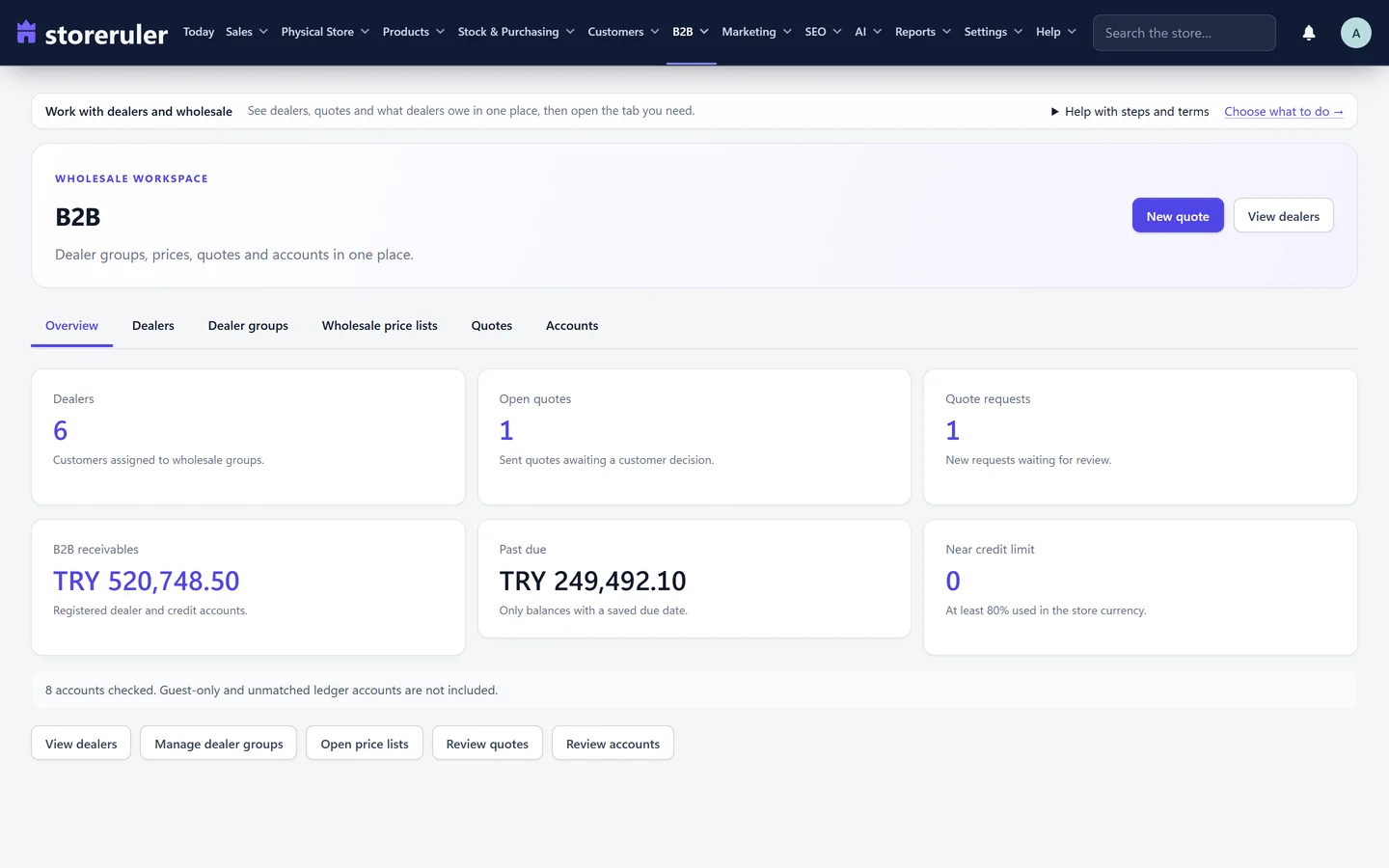
Dealer prices are part of StoreRuler Business, in the B2B area: B2B overview, Dealers, Dealer groups, Wholesale price lists, Quotes and Accounts.
Dealer groups and price lists
A dealer group has a discount that applies to every product. On the Wholesale price lists screen you can add a rule for one product and one group, with:
- quantity tiers, written as quantity and price pairs such as
1:100, 10:90(100 per unit for 1 to 9 units, 90 from 10 units); - a minimum quantity and an order multiple, checked in the cart with a clear message.
The tier price replaces the group discount for that product; it is not added to it. Tax inclusion follows WooCommerce's own price setting. A store can keep up to 500 such rules.

A signed-in dealer sees their prices on the product pages and in the cart, and the quantity tier follows how many units are in the cart. Shoppers outside the group keep the normal price. Accounts of your own team never join a price group.
Saving or changing a pricing rule, a group's discount or its members needs the approval permission, so store staff can see the price lists but not change them.
Payment terms, credit limits and quotes
- Terms per customer. A payment term in days and a credit limit on the customer's account. An order on account gets a due date from the term.
- Limits that hold. A sale on account that would pass the saved limit is refused, with the limit, the open balance and the new amount in the message.
- Accounts. Receivables and overdue balances in one list, and a read-only trade account page in the dealer's My Account with their own statement.
- Quotes and prices on request. Send a quote that the dealer accepts as an order, and show some products' prices on request only.
If you also run a shop counter with StoreRuler, a registered dealer recognised by phone at the till buys at their own group and tier prices, the same as on the website.
Dealer groups, wholesale price lists, quotes, terms and credit limits are in StoreRuler Business, which includes Pro and Plus. Plus already sells on account to registered customers; payment terms and credit limits per customer come with Business. Compare the plans on the pricing page.
Where to go next
The B2B overview shows the dealer, quote and receivables screens. Dealers usually also need their history in one place: the customer card lists orders, spending and what is still to be paid. If dealers also visit your shop, read WooCommerce POS for a physical shop.
Frequently asked questions
Can WooCommerce show different prices to different customers without a plugin?
Not with its own settings. A product has one regular price and one sale price for everyone. The usual workaround is a coupon limited to certain email addresses, which gives a discount at checkout but not a separate price list.
Does a quantity tier add to the group discount in StoreRuler?
No. When a product has a tier price for the dealer's group, that price replaces the group discount for the product. The two are never added together.
What happens when a dealer reaches the credit limit?
A sale on account that would take the customer above the limit saved on their account is refused, and the message shows the limit, the open balance and the new amount. A limit saved on the customer holds for everyone on the team.
Which StoreRuler plan has dealer prices?
StoreRuler Business. It includes everything in Pro and Plus, so the till, stock and purchasing come with it.
